Ford infotainment review: SYNC 4 touchscreen tech tested vs rivals
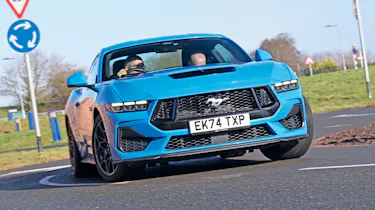
How does Ford's iconic muscle car measure up when it comes to tech?

| Pros | Cons |
|
|
While some brands have a near-identical infotainment set-up throughout their ranges, Ford’s can vary from model to model. Some cars run a portrait orientation, and others, such as the Mustang we’re testing here, use a landscape layout. All run a variation of Ford’s SYNC software, although the Capri and Explorer use subtly different menu structures, reflecting the tech that’s available on the Volkswagen Group-sourced MEB platform.
The layout of the Mustang's SYNC 4 system is fairly no-nonsense. The homepage has various widgets and shortcuts, which take up different amounts of space based on their importance. To the right, there are shortcuts to Settings, Features and Apps, while slightly larger tiles for Phone and Media are in the middle. The main partof the screen is occupied by the navigation system; it’s easily big enough to run like this and be useful, but it can be expanded to occupy the whole 13.2-inch display if you prefer.
The screen isn’t the most responsive to touches, with pinch and swiping movements on the map page accompanied by a noticeable delay. Loading times are reasonable, but not outstanding.
Typing an address is best done when the car is parked, and the keyboard takes up about two-thirds of the screen’s area when in use. The mapping itself isn’t as detailed as some, but this means the instructions are easy to read, because the display isn’t saturated with unnecessary information. Pairing a phone via Bluetooth is incredibly quick and simple in all of the latest Fords, with the system detecting our devices instantly and prompting us to use apps such as Android Auto or Apple CarPlay wirelessly.
The Ford has just one physical climate control button. It’s for a maximum front window demist setting and is repeated on the main touchscreen with the other climate controls. Temperature is easy to adjust on the move, but fan speed and climate direction require several button presses, because secondary menus need to be opened.
| Touchscreen task | Time | Ranking |
| Lane-keeping assistance task | 13.4 secs | 7th |
| Sat-nav task | 24.8 secs | 10th |
| Cabin temp. task | 4.7 secs | 7th |
| Heated seat task | 1.5 secs | 1st |
| Radio tuning task | 8.1 secs | 8th |
| Distracted lap time | Over 26 secs | 4th |
Test team views
- Dean Says: “The system is a bit slow for sat-nav, which may be down to processing speed. The climate control has a button to adjust the temperature, but it brings up a pop-up menu which is pointless as you’re pressing a button at the bottom to change it already. There’s a shortcut for the home page, but it’s a little lost in the top-right corner of the screen.”
- Shane says: “The layout is interesting, and mostly it’s pretty logical, but for some reason lane -keep assist is on the features menu and hard to find. It was also a bit laggy, especially the sat-nav which put up a bit of a fight when I tried to set it for home. It’s not a huge problem, but it’s frustrating. It was the same with changing the radio station. On the whole it was a pretty average system.”
- Victoria says: “I found the Ford system easy to use, and I liked the fact that when you press, for example, the heating option, it expands into a menu on the same screen so you don’t have to navigate to a different window display. The lane-keep assist switch was on the steering wheel, but I couldn’t find it in the infotainment system menus. But overall I thought it was cool.”
Display and navigation
- Navigation: Typing an address is tricky because the buttons are on the small side, while the car's bumpy ride makes it hard to be accurate when using the touchscreen.
- Home screen: Three large panels on the home screen mean it's quick to access nav, audio and phone menus, but the home button to return is tucked away on the top right.
- Settings: Widescreen layout offers room for multiple functions, while our testers had mixed opinions about the climate controls across the bottom of the display.
What's the app like?
The FordPass smartphone app can either be incredibly useful, or just a bit of a waste of your phone’s storage space, depending on what type of car you have. The Mustang we had on test, for example, was only able to be locked and unlocked, plus have its health status checked.
But if you have a Ford Explorer, for example, you can pre-heat the cabin and send the location of nearby EV chargers to the sat-nav. The ability to call for breakdown services direct from the app is appreciated, although having to pay an additional subscription for certain features such as vehicle tracking isn’t. Overall it ranked in eighth place.
Best car infotainment systems: head-to-head test
- Best car infotainment systems test intro
- Ford SYNC 4 review
- Genesis ccIC review
- Mercedes MBUX review
- MG iSmart review
- MINI Operating System 9 review
- Peugeot i-Cockpit review
- Renault OpenR Link review
- Skoda Navigation review
- Tesla UI review
- Volvo Android Automotive review
- Best car infotainment systems test results
Did you know you can buy a used car with Auto Express? Choose from tens of thousands of cars with trusted dealers around the UK. Click here to buy used with Auto Express now...